
![Patient Portal Software: Complete Guide for Hospitals & Clinics [2026]](/_next/image?url=%2Finfographics%2Fpatient-portal-benefits-stats.png&w=2048&q=75)
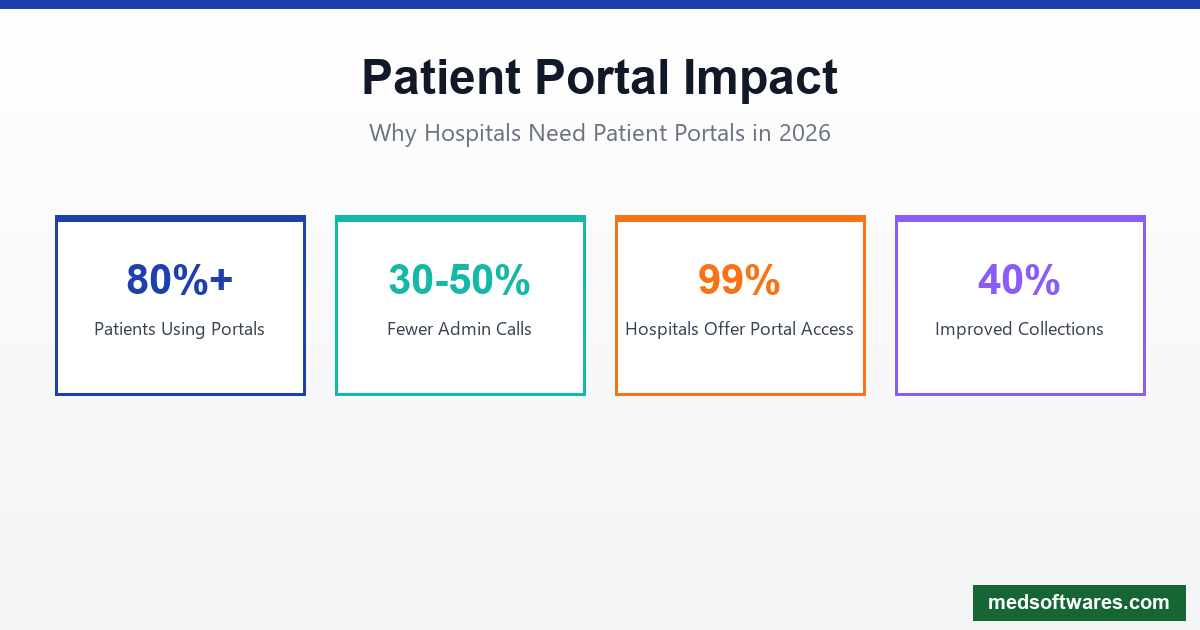
Patient portals have become the most promising tool for increasing patient engagement, with over 80% of patients now using these platforms as their gateway to healthcare services. For hospitals and clinics, implementing the right patient portal software is no longer optional—it's essential.
What is Patient Portal Software?
Patient portal software is a secure online platform that gives patients 24/7 access to their personal health information and healthcare services. Connected to your hospital's Electronic Health Records (EHR) system, it serves as a digital bridge between providers and patients.
Core Capabilities
- Health Records Access: View lab results, medications, diagnoses
- Appointment Management: Book, reschedule, or cancel appointments
- Secure Messaging: Communicate with healthcare providers
- Prescription Management: Request refills and view history
- Bill Payment: View statements and make payments online
- Document Sharing: Upload and download medical documents
Why Patient Portals Matter in 2026
Patient Expectations Have Changed
Modern patients expect the same digital convenience from healthcare that they get from banking, shopping, and other services. Key statistics:
- 99% of hospitals now offer patients electronic access to records
- 96% allow patients to download their health data
- 84% enable transmission to third parties
- 80%+ of patients actively use patient portals
Operational Benefits
| Benefit | Impact | |---------|--------| | Reduced phone calls | 30-50% fewer administrative calls | | Faster check-ins | Digital forms save 10-15 min per visit | | Better collections | Online payments improve cash flow | | Staff efficiency | Automation frees staff for patient care | | Reduced no-shows | Automated reminders decrease missed appointments |
Essential Patient Portal Features
1. Appointment Self-Scheduling
Why It Matters: Patients want to book appointments without phone calls. Self-scheduling increases satisfaction while reducing receptionist workload.
Key Features:
- Real-time availability display
- Multi-provider booking
- Appointment type selection
- Automated confirmation emails/SMS
- Calendar integration (Google, Outlook, iCal)
- Waitlist management
2. Secure Messaging
Why It Matters: Patients need a HIPAA-compliant way to communicate with providers between visits.
Key Features:
- End-to-end encryption
- Provider response time tracking
- Message categorization (urgent, routine, billing)
- Attachment support for images/documents
- Read receipts
- Auto-routing to appropriate staff
3. Lab Results Access
Why It Matters: Patients want immediate access to their test results without waiting for a phone call.
Key Features:
- Automatic result posting
- Historical comparison
- Reference range display
- Provider annotations
- Abnormal result flagging
- Educational content links
4. Prescription Management
Why It Matters: Medication adherence improves when patients can easily manage prescriptions.
Key Features:
- Current medication list
- Refill requests
- Pharmacy selection
- Drug interaction alerts
- Reminder notifications
- Prescription history
5. Online Bill Pay
Why It Matters: Convenient payment options accelerate collections and improve patient satisfaction.
Key Features:
- Itemized statement view
- Multiple payment methods
- Payment plans setup
- Auto-pay enrollment
- Receipt generation
- Insurance claim status
6. Health Record Access
Why It Matters: Patients have the right to access their complete health information.
Key Features:
- Visit summaries
- Diagnosis history
- Immunization records
- Allergy information
- Care plan access
- Provider notes
Mobile Accessibility
In 2026, mobile-first design is essential. Your patient portal must work seamlessly on smartphones and tablets.
Mobile Requirements
- Responsive Design: Adapts to any screen size
- Native Apps: iOS and Android applications
- Biometric Login: Fingerprint and face recognition
- Push Notifications: Appointment reminders, results alerts
- Offline Access: View downloaded records without internet
- Camera Integration: Upload documents, photos of insurance cards
Security & Compliance
HIPAA Compliance
Patient portals handle Protected Health Information (PHI), making HIPAA compliance mandatory:
- Access Controls: Role-based permissions
- Audit Logs: Track all data access
- Encryption: Data at rest and in transit
- Session Management: Automatic timeouts
- Authentication: Multi-factor authentication options
Security Best Practices
- Strong Password Requirements: Minimum length, complexity rules
- Account Lockout: After failed login attempts
- Secure Communication: TLS 1.3 encryption
- Regular Penetration Testing: Identify vulnerabilities
- Staff Training: Security awareness programs
Integration Requirements
EHR Integration
Your patient portal must seamlessly connect with your Electronic Health Records system:
- Real-Time Sync: Changes reflect immediately
- Bidirectional Data Flow: Information flows both ways
- HL7/FHIR Standards: Industry-standard interoperability
- API Access: Connect with other systems
Practice Management Integration
- Appointment scheduling sync
- Insurance verification
- Billing system connection
- Provider calendars
Third-Party Integrations
- Payment processors (Stripe, PayPal)
- Telehealth platforms
- Lab information systems
- Pharmacy networks
Patient Engagement Strategies
Driving Portal Adoption
Simply having a portal isn't enough—you need patients to use it.
Enrollment Strategies:
- In-Office Signup: Help patients register during visits
- Email Campaigns: Send registration invitations
- QR Codes: Place on materials for easy access
- Staff Training: Everyone should promote the portal
- Incentives: Offer benefits for using the portal
Improving Engagement
- Personalized Content: Relevant health tips
- Proactive Outreach: Preventive care reminders
- Survey Integration: Collect patient feedback
- Educational Resources: Condition-specific information
- Gamification: Health goals and achievements
Implementation Guide
Phase 1: Planning (Weeks 1-2)
-
Define Objectives
- What problems are you solving?
- What features are priorities?
- What metrics will you track?
-
Stakeholder Alignment
- Get physician buy-in
- Train administrative staff
- Prepare IT infrastructure
-
Vendor Selection
- Evaluate integration capabilities
- Check security certifications
- Review pricing models
Phase 2: Configuration (Weeks 3-4)
-
System Setup
- EHR integration
- User role configuration
- Workflow customization
-
Branding
- Logo and colors
- Custom messaging
- Email templates
-
Testing
- Functionality testing
- Security testing
- User acceptance testing
Phase 3: Launch (Weeks 5-6)
-
Staff Training
- Portal features
- Patient support
- Troubleshooting
-
Patient Onboarding
- Registration campaigns
- Welcome messages
- Tutorial materials
-
Go-Live Support
- Help desk availability
- Issue tracking
- Feedback collection
Phase 4: Optimization (Ongoing)
-
Monitor Analytics
- Adoption rates
- Feature usage
- Patient satisfaction
-
Iterate
- Address feedback
- Add features
- Improve workflows
HospitalOS Patient Portal
HospitalOS includes a comprehensive patient portal designed for hospitals in developing markets:
Key Features
Patient Self-Service:
- Online appointment booking
- Lab result viewing
- Prescription history
- Bill payments via mobile money
- Secure messaging
Mobile-First Design:
- Works on any smartphone
- Low bandwidth optimized
- SMS notifications (no app required)
- USSD access for basic phones
Local Payment Integration:
- Mobile money (M-Pesa, MTN MoMo, Airtel Money)
- Card payments
- Bank transfers
- Insurance direct billing
Multi-Language Support:
- English, French, Swahili, Arabic
- Customizable for local languages
Offline Capability:
- View downloaded records offline
- Queue messages for sending
- Sync when connected
Pricing Advantage
Unlike subscription-based portals charging $200-500/month, HospitalOS includes the patient portal in the one-time license fee starting at $799.
Measuring Success
Key Performance Indicators
Track these metrics to measure your patient portal's effectiveness:
| Metric | Target | Measurement | |--------|--------|-------------| | Adoption Rate | 60%+ of patients | Registered / Total patients | | Active Users | 40%+ monthly | Monthly logins / Registered | | Self-Scheduling | 30%+ of appointments | Online bookings / Total bookings | | Message Response | Under 24 hours | Average provider response time | | Patient Satisfaction | 4.5+ stars | Portal satisfaction surveys |
ROI Calculation
Cost Savings:
- Reduced phone staff time
- Fewer no-shows
- Faster payment collection
- Lower paper/postage costs
Revenue Impact:
- Increased appointment volume
- Better patient retention
- Improved collections
- Reduced claim denials
Future Trends
AI Integration (2026 and Beyond)
- AI Chatbots: 24/7 patient support
- Predictive Alerts: Proactive health notifications
- Personalized Recommendations: Tailored health content
- Voice Interfaces: Hands-free portal access
Enhanced Interoperability
- FHIR APIs: Standard data exchange
- Health Information Exchanges: Regional data sharing
- Wearable Integration: Device data synchronization
- Remote Monitoring: Chronic disease management
Conclusion
Patient portal software is essential for modern healthcare delivery. The right solution improves patient satisfaction, operational efficiency, and clinical outcomes.
HospitalOS provides a complete patient portal with:
- Self-service features patients expect
- Mobile-first design for any device
- Local payment integration for your market
- Offline capability for reliability
- One-time pricing from $799
Give your patients the digital experience they deserve.


