
![Affordable EMR Software for Small Clinics: Complete Guide [2026]](/_next/image?url=%2Finfographics%2Femr-small-clinics-stats.png&w=2048&q=75)
Small clinics often struggle to find EMR software that's both powerful and affordable. With over 85% of healthcare organizations now using cloud-based EHRs, the question isn't whether to adopt electronic medical records—it's finding the right solution for your budget.
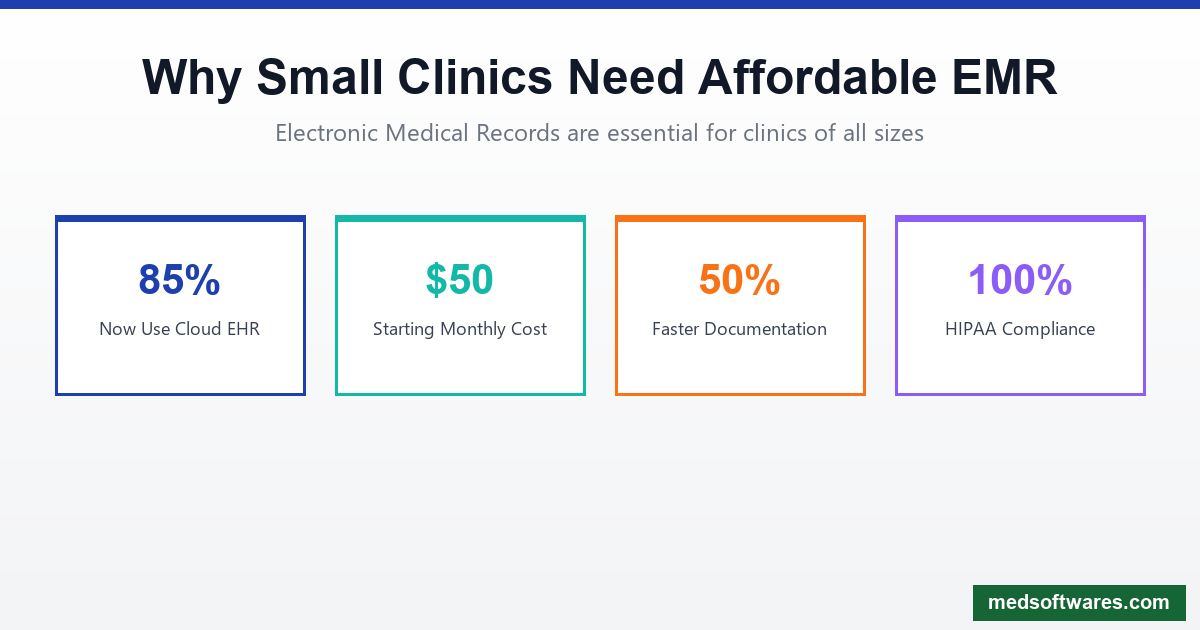
Why Small Clinics Need EMR
Regulatory Requirements
- HIPAA Compliance: Digital records with proper security
- Meaningful Use: Government incentive programs
- Insurance Requirements: Electronic claims submission
- Audit Readiness: Complete documentation trails
Operational Benefits
- 50% faster documentation compared to paper
- Fewer errors in patient records and prescriptions
- Better coordination between providers
- Patient portal access for engagement
Financial Impact
- Reduced paper and storage costs
- Faster insurance reimbursements
- Fewer denied claims
- Staff time savings
EMR Options by Price Point
Free EMR Options
1. OpenMRS
- Open source, community-supported
- Best for: Tech-savvy clinics, NGOs
- Limitations: Requires technical setup, limited support
2. FreeMED
- Free electronic medical records
- Best for: Very basic needs
- Limitations: Outdated interface, minimal features
3. Practice Fusion (Previously Free)
- Now requires payment
- Was popular for small practices
- Current pricing: Contact for quote
Low-Cost Options ($0-100/month)
4. Hippocrate - Free
- Designed with medical professionals
- Essential practice management features
- Good for budget-conscious practices
5. SmartClinix - From $50/month
- Affordable with scalable plans
- Transparent pricing
- Good feature set for price
6. CharmHealth - Budget-friendly
- Robust compliance features
- Customization options
- Good for practices needing flexibility
Mid-Range Options ($100-300/month)
7. Kareo Clinical
- Intuitive interface
- Quick patient data access
- Subscription-based, affordable
8. RXNT
- Integrated EMR + billing
- Patient management included
- Good value proposition
9. CureMD
- Enterprise features at lower cost
- 109,000+ users across 50 states
- 33 specialties supported
One-Time Payment Options
10. HospitalOS (MedSoftwares)
- $799-$2,999 one-time
- 25+ integrated modules
- Includes EMR, OPD, IPD, Lab, Pharmacy
- Works offline
- No monthly fees
Feature Comparison
| Feature | Free Options | Low-Cost | Mid-Range | HospitalOS | |---------|-------------|----------|-----------|------------| | Patient Records | Basic | Good | Full | Full | | E-Prescribing | Sometimes | Yes | Yes | Yes | | Lab Integration | No | Limited | Yes | Yes | | Billing | No | Basic | Yes | Yes | | Scheduling | Basic | Yes | Yes | Yes | | Patient Portal | No | Sometimes | Yes | Yes | | Offline Mode | No | No | No | Yes | | Support | Community | Email | Phone | Dedicated | | HIPAA Compliant | Varies | Yes | Yes | Yes |
Key Features to Look For
1. Ease of Use
Small clinics can't afford extensive training:
- Intuitive interface
- Minimal clicks for common tasks
- Mobile access for flexibility
- Quick patient lookup
2. Essential Clinical Features
Must-haves for any clinic:
- Patient demographics
- Medical history tracking
- Problem lists and diagnoses
- Medication management
- E-prescribing capability
- Lab order and results
- Clinical notes/SOAP notes
3. Practice Management Integration
Avoid needing separate systems:
- Appointment scheduling
- Patient reminders
- Insurance verification
- Claims submission
- Payment processing
- Reporting and analytics
4. Security and Compliance
Non-negotiable requirements:
- Data encryption (at rest and in transit)
- Role-based access control
- Audit trail logging
- Regular backups
- HIPAA compliance documentation
5. Interoperability
For coordinated care:
- HL7/FHIR support
- Lab system integration
- Pharmacy connectivity
- Referral management
- Health information exchange
HospitalOS for Small Clinics
HospitalOS provides enterprise EMR capabilities at affordable one-time pricing:
Clinic Plan: $799 (One-Time)
Perfect for small clinics with up to 3 workstations:
Included Modules:
- Patient registration and records
- Electronic Medical Records (EMR)
- Outpatient Department (OPD)
- Appointment scheduling
- Prescription management
- Laboratory orders and results
- Basic billing and receipts
- Reports and analytics
Why Small Clinics Choose HospitalOS
1. No Monthly Fees
| Comparison | Year 1 | Year 3 | Year 5 | |------------|--------|--------|--------| | Cloud EMR ($150/mo) | $1,800 | $5,400 | $9,000 | | HospitalOS Clinic | $799 | $799 | $799 | | Savings | $1,001 | $4,601 | $8,201 |
2. Works Offline
Unlike cloud-only EMRs:
- Continue seeing patients during internet outages
- No productivity loss from connectivity issues
- Local data storage with cloud backup
- Essential for rural and remote clinics
3. Designed for Developing Markets
Built for clinics in Africa, Asia, and Latin America:
- Low system requirements
- Works on existing computers
- Local insurance integration (NHIS, NHIF)
- Multi-language support
4. Complete Solution
No need to piece together multiple systems:
- EMR + Practice Management + Billing
- All integrated in one platform
- Single vendor support
Implementation for Small Clinics
Preparation (1-2 Weeks)
-
Assess current workflows
- Document current processes
- Identify pain points
- List must-have features
-
Hardware check
- Verify computer specifications
- Assess network infrastructure
- Plan for mobile access needs
-
Data planning
- Inventory existing patient records
- Plan migration approach
- Set up data entry procedures
Deployment (1-2 Days)
- Software installation
- Basic configuration
- User account setup
- Template customization
- Integration testing
Training (1-3 Days)
Role-based training approach:
- Doctors: EMR, prescriptions, clinical notes
- Nurses: Vitals, patient intake, documentation
- Reception: Registration, scheduling, billing
- Admin: Reports, user management
Go-Live
- Start with new patients first
- Gradually migrate existing records
- Keep paper backup initially
- Daily support check-ins
Choosing the Right EMR
Choose Free/Low-Cost If:
- Just starting out
- Very limited budget
- Basic needs only
- Have IT support available
- Don't need offline access
Choose HospitalOS If:
- Want long-term cost savings
- Need offline capability
- Require complete solution (EMR + billing + lab)
- Located in developing market
- Prefer one-time payment
Getting Started
Ready to modernize your clinic with affordable EMR?
- Request a Demo - See HospitalOS for clinics
- Get a customized assessment
- Free migration assistance
- 30-day money-back guarantee
Sources
- Best EMR for Small Practices 2026 - GetFreed
- Affordable EMR Software - SmartClinix
- Free EMR Systems - SelectHub


![Clinic Appointment Scheduling Software: Complete Guide [2026]](/_next/image?url=%2Finfographics%2Fclinic-scheduling-benefits-2026.png&w=2048&q=75)