
![How to Choose Pharmacy Software: The Complete Buyer's Guide [2026]](/_next/image?url=%2Finfographics%2Fpharmacy-software-buyers-guide.png&w=2048&q=75)
Choosing the wrong pharmacy software can cost you thousands in lost productivity, frustrated staff, and missed opportunities. This comprehensive guide walks you through every step of selecting the right solution for your pharmacy.
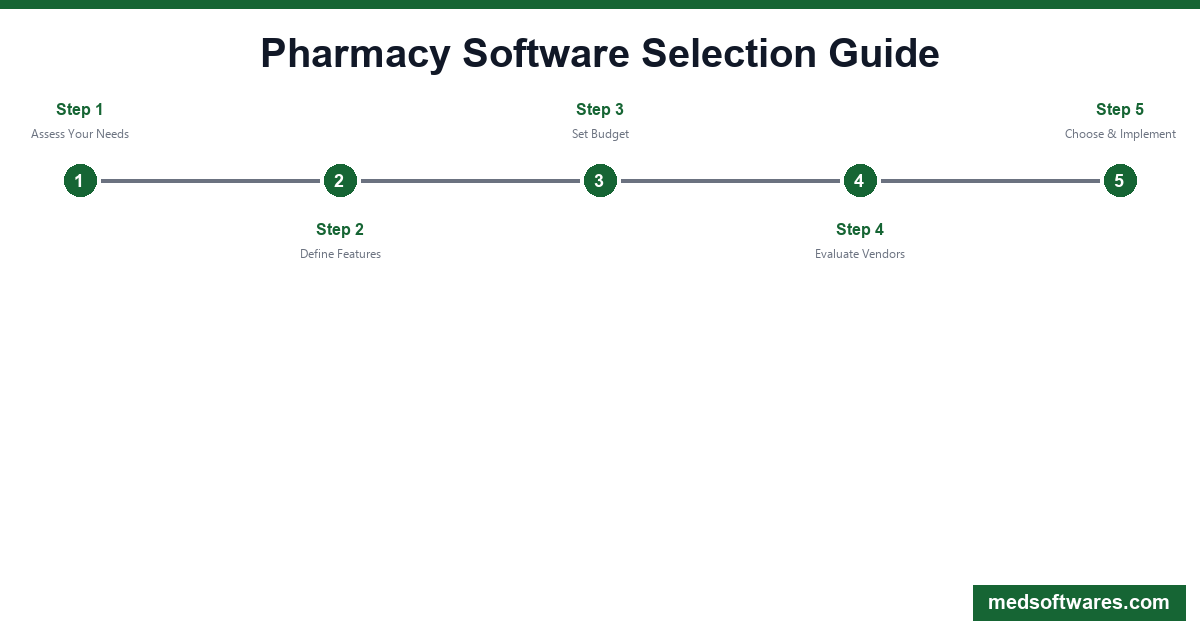
Step 1: Assess Your Pharmacy's Needs
Before looking at any software, understand your requirements.
Pharmacy Type Assessment
| Pharmacy Type | Key Requirements | |---------------|------------------| | Independent retail | POS, inventory, prescriptions, customer loyalty | | Chain/multi-store | Multi-location sync, central reporting, standardization | | Compounding | Formulation tracking, batch management, compliance | | Long-term care | Facility management, packaging, medication sync | | Hospital outpatient | EHR integration, inpatient coordination, formulary | | Specialty | Prior auth, patient management, high-cost tracking |
Current Pain Points Checklist
Rate each issue (1-5 severity):
- [ ] Inventory management is manual/unreliable
- [ ] Prescription processing is slow
- [ ] Insurance claims are frequently rejected
- [ ] Reporting takes too long
- [ ] Staff spends too much time on admin tasks
- [ ] Customer wait times are too long
- [ ] We can't track controlled substances properly
- [ ] Our current software is outdated/unsupported
Growth Considerations
Answer these questions:
- Will you open additional locations in 3-5 years?
- Do you plan to add clinical services?
- Will you need specialty pharmacy capabilities?
- Are you considering 340B participation?
- Will you offer delivery or mail-order services?
Step 2: Define Must-Have Features
Essential Features (Every Pharmacy Needs)
Prescription Management
- ✅ Prescription entry and processing
- ✅ Drug utilization review (DUR)
- ✅ Drug interaction checking
- ✅ Prescription history
- ✅ Label printing
- ✅ Refill management
Inventory Management
- ✅ Real-time stock tracking
- ✅ Low stock alerts
- ✅ Expiration date tracking
- ✅ Reorder point automation
- ✅ Receiving and adjustments
- ✅ Inventory reports
Point of Sale
- ✅ Fast checkout
- ✅ Barcode scanning
- ✅ Multiple payment methods
- ✅ Receipt printing
- ✅ Cash drawer management
- ✅ End-of-day reconciliation
Insurance & Billing
- ✅ Real-time claims processing
- ✅ Eligibility verification
- ✅ Copay calculation
- ✅ Prior authorization tracking
- ✅ Rejection management
- ✅ Third-party billing
Reporting
- ✅ Sales reports
- ✅ Inventory reports
- ✅ Prescription volume
- ✅ Profitability analysis
- ✅ Controlled substance logs
- ✅ Custom report builder
Advanced Features (Based on Your Needs)
| Feature | Who Needs It | |---------|--------------| | E-prescribing | All US pharmacies (required) | | Mobile money | African/developing market pharmacies | | Medication synchronization | Patient adherence programs | | IVR refill system | High-volume pharmacies | | Compounding module | Compounding pharmacies | | Delivery management | Pharmacies offering delivery | | Specialty workflows | Specialty pharmacies | | 340B tracking | 340B eligible pharmacies | | Multi-location sync | Chain pharmacies | | Offline capability | Areas with poor internet |
Step 3: Set Your Budget
Understanding Pricing Models
One-Time License
- Pay once, own forever
- No monthly fees
- Updates may be included or extra
- Example: PharmaPOS ($499-$1,499)
Monthly Subscription
- Ongoing monthly payments
- Updates included
- Support usually included
- Example: Most US pharmacy software ($200-$1,000+/month)
Per-Transaction
- Fee per prescription or claim
- Variable costs
- Can add up quickly
- Less common
Total Cost of Ownership Calculator
| Cost Category | One-Time Model | Subscription Model | |---------------|----------------|-------------------| | Year 1 | License + setup | 12 months × fee + setup | | Year 2 | Support (optional) | 12 months × fee | | Year 3 | Support (optional) | 12 months × fee | | Year 4 | Support (optional) | 12 months × fee | | Year 5 | Support (optional) | 12 months × fee | | 5-Year Total | Lower | Higher |
Example Comparison:
| Model | Year 1 | 5-Year Total | |-------|--------|--------------| | PharmaPOS ($799) | $799 | $799 | | Subscription ($300/mo) | $3,600 | $18,000 | | Subscription ($500/mo) | $6,000 | $30,000 |
Step 4: Create Your Vendor Shortlist
Research Sources
- Industry publications - Pharmacy Times, Drug Topics
- Review sites - Capterra, G2, TrustRadius
- Peer recommendations - Ask other pharmacy owners
- Buying groups - NCPA, buying group recommendations
- Conferences - Vendor exhibitions
Initial Screening Criteria
Eliminate vendors that:
- Don't support your pharmacy type
- Are outside your budget range
- Lack essential features you need
- Have poor reviews for support
- Are too new with unproven stability
- Don't operate in your region
Recommended Shortlist Size
- 3-5 vendors for detailed evaluation
- Too few = miss good options
- Too many = decision paralysis
Step 5: Request and Evaluate Demos
Demo Request Checklist
When requesting demos, provide:
- [ ] Your pharmacy type and size
- [ ] Current prescription volume
- [ ] Number of staff users
- [ ] Specific features you need
- [ ] Current software (for migration)
- [ ] Timeline for decision
Demo Evaluation Scorecard
Rate each vendor (1-10):
| Criteria | Vendor A | Vendor B | Vendor C | |----------|----------|----------|----------| | Feature completeness | | | | | Ease of use | | | | | Speed/performance | | | | | Prescription workflow | | | | | Inventory management | | | | | Reporting quality | | | | | Mobile/accessibility | | | | | Overall impression | | | | | TOTAL | | | |
Questions to Ask During Demos
Functionality:
- Can you show the prescription workflow end-to-end?
- How does inventory management work daily?
- What happens when internet goes down?
- How are controlled substances tracked?
- Show me the reporting dashboard
Technical:
- Is this cloud-based or on-premise?
- What hardware is required?
- How often are updates released?
- What are the system requirements?
- How is data backed up?
Support:
- What support is included?
- What are support hours?
- What is average response time?
- Is training included?
- Who handles implementation?
Business:
- What is the total cost for our size?
- Are there hidden fees?
- What is the contract term?
- What is the cancellation policy?
- How long have you been in business?
Step 6: Check References
What to Ask Current Users
Implementation:
- How long did implementation take?
- Were there unexpected challenges?
- Was the vendor responsive during setup?
- How was data migration handled?
Daily Use:
- How has the software improved operations?
- What do staff members think of it?
- What are the biggest frustrations?
- Any features missing that you need?
Support:
- How responsive is support?
- Are issues resolved quickly?
- How often does the system go down?
- Are updates disruptive?
Business Impact:
- Has it improved efficiency?
- Any measurable ROI?
- Would you choose it again?
- Any regrets?
Red Flags to Watch For
- Vendor won't provide references
- References are all recent implementations
- Multiple users mention same problems
- Poor support is a common theme
- Frequent downtime mentioned
Step 7: Negotiate and Contract
Negotiation Opportunities
| Item | Negotiable? | Tips | |------|-------------|------| | License price | Sometimes | Ask for discount, especially year-end | | Monthly fee | Rarely | Lock in rate for longer term | | Implementation | Yes | Get included or discounted | | Training | Yes | Ask for additional sessions | | Support tier | Sometimes | Negotiate enhanced support | | Contract length | Yes | Shorter term reduces risk | | Payment terms | Sometimes | Delay payments post go-live |
Contract Review Checklist
Before signing, verify:
- [ ] Total price matches quoted
- [ ] All promised features listed
- [ ] Support terms clear
- [ ] Update policy defined
- [ ] Data ownership confirmed
- [ ] Exit/migration terms fair
- [ ] Implementation timeline set
- [ ] Training included
- [ ] Liability terms reasonable
- [ ] Renewal terms clear
Protect Yourself
Insist on:
- Written quote with all costs
- Clear cancellation terms
- Data export capability
- Performance guarantees
- Support response SLAs
Step 8: Plan Implementation
Pre-Implementation Checklist
Data Preparation:
- [ ] Export current customer data
- [ ] Clean up inventory records
- [ ] Document current drug prices
- [ ] List current insurance contracts
- [ ] Prepare prescription history
Hardware:
- [ ] Verify hardware compatibility
- [ ] Order needed equipment
- [ ] Test network connectivity
- [ ] Prepare barcode scanners
- [ ] Set up printers
Staff:
- [ ] Identify super users
- [ ] Schedule training time
- [ ] Communicate timeline
- [ ] Plan for transition period
Implementation Timeline
| Phase | Duration | Activities | |-------|----------|------------| | Setup | 1-3 days | Install software, configure settings | | Data Migration | 1-3 days | Import existing data | | Training | 2-5 days | Staff training sessions | | Parallel Run | 3-7 days | Run old and new together | | Go-Live | 1 day | Switch to new system | | Stabilization | 1-2 weeks | Support and issue resolution |
Step 9: Measure Success
Key Metrics to Track
| Metric | Before | After 30 Days | After 90 Days | |--------|--------|---------------|---------------| | Prescriptions per hour | | | | | Average wait time | | | | | Inventory accuracy | | | | | Claim rejection rate | | | | | Staff overtime hours | | | | | Customer complaints | | | |
ROI Calculation
Time Savings:
- Hours saved per week × hourly cost = weekly savings
- Weekly savings × 52 = annual savings
Error Reduction:
- Errors prevented × cost per error = annual savings
Inventory Optimization:
- Reduced waste + better turns = annual savings
Total ROI:
- Annual savings ÷ total investment = ROI percentage
Common Mistakes to Avoid
Mistake 1: Choosing Based on Price Alone
The problem: Cheapest option often lacks features or support you need.
Instead: Calculate total cost of ownership including lost productivity from missing features.
Mistake 2: Not Testing with Real Workflows
The problem: Demo scenarios don't match your actual work.
Instead: Bring real prescriptions and scenarios to test during demos.
Mistake 3: Ignoring Staff Input
The problem: Staff who use it daily weren't consulted.
Instead: Include pharmacists and technicians in evaluation.
Mistake 4: Underestimating Implementation Time
The problem: Rushed implementations cause problems.
Instead: Plan adequate time and don't rush go-live.
Mistake 5: Not Planning for Growth
The problem: Software can't scale with your business.
Instead: Choose software that supports your 5-year vision.
Our Top Recommendations
Best Overall: PharmaPOS
Why we recommend it:
- One-time pricing ($499-$1,499)
- Complete feature set
- Fast 1-2 week implementation
- Works offline
- Excellent for developing markets
Best for US Independents: PioneerRx
Why we recommend it:
- Industry leader in US market
- Strong e-prescribing
- Clinical service support
- Robust integrations
Best Budget Option: BestRx
Why we recommend it:
- Lower monthly costs
- Good basic features
- Easy to learn
- Suitable for startups
Ready to Choose?
Use this guide to systematically evaluate your options. Remember:
- Start with your needs — not vendor marketing
- Calculate total cost — over 5 years
- Test thoroughly — with your real workflows
- Check references — talk to actual users
- Plan implementation — don't rush
Need help deciding?
Our team can help you evaluate if PharmaPOS is right for your pharmacy.
![AI Pharmacy Inventory Prediction: How Machine Learning Prevents Stockouts [2026]](/_next/image?url=%2Finfographics%2Fai-inventory-prediction-stats.png&w=2048&q=75)
![Drug Shortage Management: How Smart Pharmacy Software Prevents Stockouts [2026]](/_next/image?url=%2Finfographics%2Fdrug-shortage-management-stats.png&w=2048&q=75)
![Free Pharmacy Software vs Paid: Complete Comparison Guide [2026]](/_next/image?url=%2Finfographics%2Ffree-vs-paid-pharmacy-software.png&w=2048&q=75)