

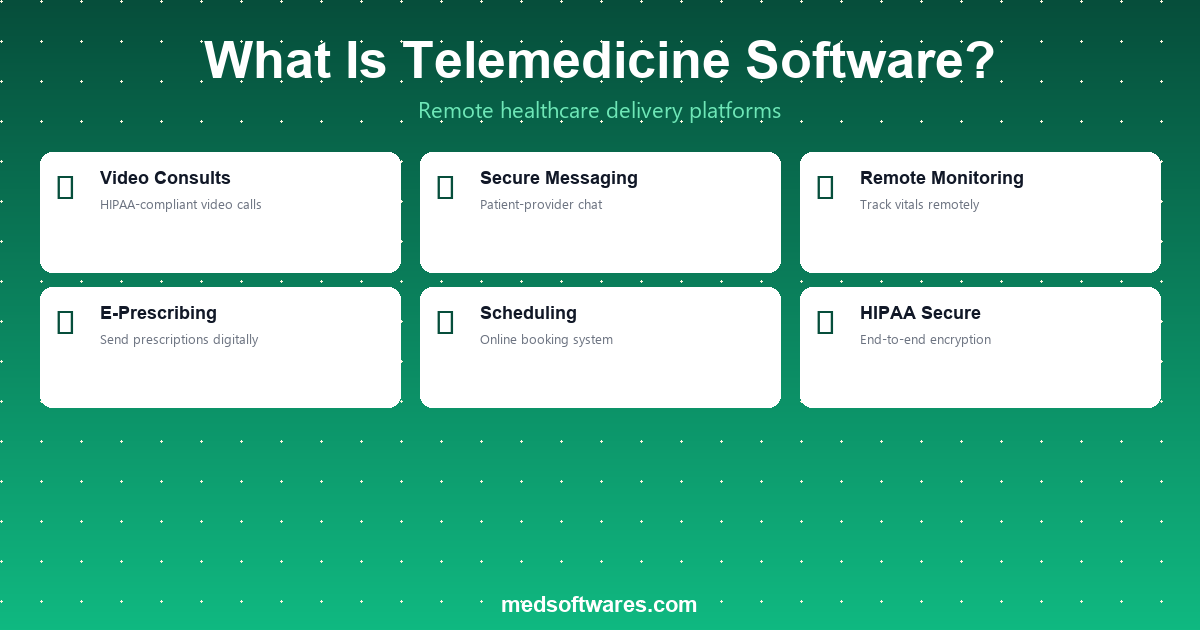
Telemedicine software is a digital platform that enables healthcare providers to deliver clinical services remotely through secure video conferencing, messaging, and remote patient monitoring. It allows patients to consult doctors, receive diagnoses, and manage ongoing care from anywhere, reducing the need for in-person visits while maintaining quality of care.
Types of Telemedicine
Synchronous (Real-Time) Telemedicine
Live, two-way communication between patient and provider happening in real time. This includes video consultations, phone calls, and live chat sessions where both parties interact simultaneously.
Common use cases:
- Primary care consultations
- Mental health counseling
- Urgent care triage
- Follow-up appointments
- Specialist consultations
Asynchronous (Store-and-Forward) Telemedicine
Medical information such as images, lab results, or patient histories is collected and forwarded to a specialist for review at a later time. The provider responds with a diagnosis or recommendation without a live interaction.
Common use cases:
- Dermatology (skin images for diagnosis)
- Radiology (imaging review)
- Pathology (slide analysis)
- Chronic disease management check-ins
Remote Patient Monitoring (RPM)
Continuous or periodic collection of patient health data using connected devices, with data transmitted to healthcare providers for ongoing monitoring and intervention when needed.
Common use cases:
- Blood pressure and heart rate monitoring
- Blood glucose tracking for diabetes
- Pulse oximetry for respiratory conditions
- Weight monitoring for heart failure patients
- Post-surgical recovery tracking
Key Features of Telemedicine Software
Video Conferencing
- HD video and audio with low-latency streaming
- Screen sharing for reviewing results and images
- Virtual waiting room management
- Multi-participant support for family or team consultations
- Recording capability for documentation (with consent)
Appointment Management
- Online scheduling with calendar integration
- Automated appointment reminders (SMS, email, push)
- Patient intake forms completed before the visit
- Waitlist management and same-day availability
- Time zone handling for cross-region consultations
Clinical Documentation
- Visit notes and templates integrated with EHR
- Diagnosis entry with ICD-10 coding
- E-prescribing directly from the consultation
- Referral generation and specialist routing
- Automatic visit summary sent to patient
Secure Messaging
- HIPAA-compliant text communication
- File and image sharing for asynchronous consultations
- Message threading for organized conversations
- Read receipts and response time tracking
- Automated responses for common inquiries
Payment and Billing
- Insurance eligibility verification before the visit
- Co-pay collection at the time of booking
- Integrated billing with CPT codes for telehealth
- Mobile money and digital payment support
- Automated claim submission to insurance providers
Remote Patient Monitoring Dashboard
- Device data integration (blood pressure cuffs, glucometers, scales)
- Threshold-based alerts for abnormal readings
- Trend visualization for chronic condition management
- Patient engagement tracking and compliance reports
- Automated care plan adjustments based on data
Telemedicine vs In-Person Care: When to Use Each
| Factor | Telemedicine | In-Person | |--------|-------------|-----------| | Best for | Follow-ups, chronic disease management, mental health, minor acute issues | Physical exams, emergencies, procedures, complex diagnostics | | Patient convenience | No travel, flexible scheduling | Requires travel and waiting room time | | Access | Available to rural and underserved areas | Limited by facility location | | Cost | Typically 30-50% lower per visit | Higher due to facility overhead | | Diagnostic tools | Limited to visual assessment and patient-reported data | Full physical examination and on-site testing | | Patient satisfaction | 85-95% satisfaction rates for appropriate use cases | Preferred for serious or complex conditions |
Compliance and Security Requirements
HIPAA Compliance (United States)
- End-to-end encryption for all video and messaging
- Business Associate Agreements (BAA) with platform vendors
- Access controls and user authentication
- Audit logging for all patient data access
- Secure data storage with backup and recovery
GDPR Compliance (European Union)
- Patient consent management for data processing
- Right to access and data portability
- Data minimization and purpose limitation
- Cross-border data transfer safeguards
- Data protection impact assessments
General Security Best Practices
- Two-factor authentication for provider accounts
- Role-based access control (RBAC)
- Session timeout and automatic logout
- Data encryption at rest and in transit
- Regular security audits and penetration testing
Benefits of Telemedicine Software
For Patients
- Reduced travel -- Eliminates the need to travel to a clinic, especially valuable for rural patients
- Shorter wait times -- Virtual visits typically start on time with <5 minutes of waiting
- Lower costs -- Telemedicine visits cost 30-50% less than equivalent in-person visits
- Better access -- Patients can see specialists hundreds of miles away
- Convenience -- Schedule appointments outside traditional office hours
For Healthcare Providers
- Expanded reach -- Serve patients beyond your geographic area
- Increased capacity -- See 20-40% more patients per day with efficient virtual workflows
- Reduced no-shows -- Telemedicine appointment no-show rates are 30-50% lower than in-person
- Lower overhead -- Reduce facility costs and support staff requirements
- Flexible scheduling -- Providers can conduct visits from anywhere
For Healthcare Organizations
- Revenue diversification -- Add virtual care as an additional service line
- Patient retention -- Offer convenient care options that keep patients in your network
- Population health -- Monitor chronic disease patients remotely to prevent hospitalizations
- Disaster preparedness -- Maintain care delivery during pandemics, natural disasters, or facility issues
- Data collection -- Continuous monitoring generates richer patient data for clinical insights
How to Choose Telemedicine Software
Essential Evaluation Criteria
- Integration with HMS/EHR -- Does it connect with your existing hospital management system and electronic health records?
- Bandwidth requirements -- Will it work reliably with available internet speeds in your region?
- Payment integration -- Does it support local payment methods including mobile money?
- Compliance -- Does it meet the regulatory requirements of your jurisdiction (HIPAA, GDPR, local health data laws)?
- Scalability -- Can it handle your patient volume and grow with your practice?
- Patient experience -- Is it easy for patients to join without downloading complex software?
- Offline fallback -- Does it offer phone consultation or asynchronous options when video is not feasible?
Telemedicine Platform Cost Comparison
| Pricing Model | Typical Cost | Includes | Best For | |--------------|-------------|----------|----------| | Per-visit | $5-$25/visit | Platform access per consultation | Low-volume practices | | Monthly subscription | $100-$500/provider/mo | Unlimited visits, full features | Mid-to-high volume practices | | Integrated HMS module | Included with HMS license | Telemedicine as part of complete system | Hospitals and health systems | | Enterprise | Custom pricing | Custom features, dedicated support, SLA | Large hospital networks |
HospitalOS: Telemedicine Built Into Your HMS
HospitalOS by MedSoftwares includes a fully integrated telemedicine module as part of its comprehensive hospital management system:
- Seamless EHR integration -- Telemedicine visits are documented directly in patient records
- Video consultations with screen sharing and recording capability
- E-prescribing from virtual visits with direct pharmacy routing
- Appointment scheduling unified across in-person and virtual visits
- Mobile money payment support for patient co-pays and self-pay
- One-time payment with no per-visit or monthly subscription fees
- Works alongside PharmaPOS for pharmacy dispensing after virtual prescriptions
Request a free demo to see how HospitalOS telemedicine can extend your reach and improve patient access.
Frequently Asked Questions
What is the difference between telemedicine and telehealth?
Telemedicine refers specifically to remote clinical services (consultations, diagnoses, treatment). Telehealth is a broader term that includes telemedicine plus non-clinical services like medical education, administrative meetings, and provider training.
Is telemedicine as effective as in-person care?
For appropriate use cases -- follow-ups, chronic disease management, mental health, and minor acute issues -- studies show telemedicine delivers comparable outcomes to in-person care. It is not suitable for conditions requiring physical examination or hands-on procedures.
Do insurance companies cover telemedicine visits?
Coverage has expanded significantly since 2020. Most major insurance providers now cover telemedicine visits at parity with in-person visits. Government programs like NHIS and NHIF are increasingly including telehealth coverage. Always verify coverage specifics with individual insurers.
What internet speed is needed for telemedicine?
A minimum of 1.5 Mbps upload and download is recommended for stable video consultations. For HD video with screen sharing, 5 Mbps or higher is ideal. Asynchronous telemedicine and phone consultations work with any internet speed.
Can telemedicine be used for emergencies?
Telemedicine is not appropriate for life-threatening emergencies that require immediate physical intervention. However, it can be used for initial triage to determine whether an emergency department visit is necessary, and for urgent care consultations for non-life-threatening conditions.

