
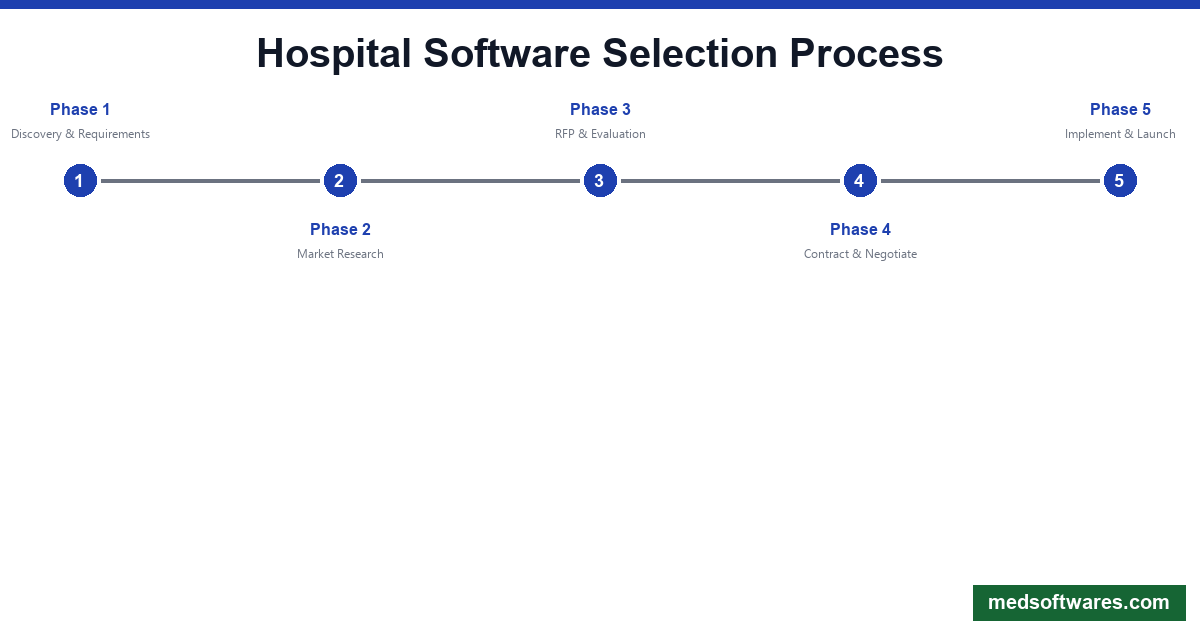
![How to Choose Hospital Management Software: Complete Buyer's Guide [2026]](/_next/image?url=%2Finfographics%2Fhospital-software-buyers-guide.png&w=2048&q=75)
Hospital management software is the digital backbone of modern healthcare. A wrong choice can disrupt patient care, waste millions, and frustrate staff for years. This guide helps you make the right decision.
The Stakes Are High
Consider the impact of your decision:
- 5-10 year commitment for most hospitals
- Touches every department and workflow
- Affects patient safety and care quality
- Major financial investment
- Staff productivity for years to come
Phase 1: Discovery and Requirements
Assess Your Current State
Document your starting point:
| Area | Questions to Answer | |------|---------------------| | Current systems | What are you using now? What works/doesn't? | | Pain points | Where are the biggest frustrations? | | Workflows | How do clinical and admin processes flow? | | Integration | What systems must connect? | | Infrastructure | What's your IT capability? | | Budget | What can you realistically spend? |
Define Your Hospital Profile
Hospital Size Categories:
| Category | Beds | Typical Solution | |----------|------|------------------| | Small clinic | Under 20 | Basic HMS or clinic software | | Community hospital | 20-100 | Mid-market HMS | | Regional hospital | 100-300 | Full HMS suite | | Large hospital | 300-500 | Enterprise HMS | | Health system | 500+ | Epic, Cerner-class |
Stakeholder Involvement
Who should participate in selection:
- C-suite leadership (CEO, CFO, CMO, CIO)
- Clinical leadership (CNO, department heads)
- IT leadership and team
- Physicians (representative group)
- Nursing leadership
- Revenue cycle leadership
- Compliance/legal
Phase 2: Requirements Definition
Essential Module Requirements
Clinical Modules:
- ✅ Patient registration
- ✅ Electronic Medical Records (EMR)
- ✅ Outpatient management (OPD)
- ✅ Inpatient management (IPD)
- ✅ Nursing documentation
- ✅ Physician orders (CPOE)
- ✅ Medication management
- ✅ Laboratory information system
- ✅ Radiology/imaging
Administrative Modules:
- ✅ Appointment scheduling
- ✅ Bed management
- ✅ Operating room scheduling
- ✅ Billing and revenue cycle
- ✅ Insurance claims management
- ✅ Inventory/supply chain
- ✅ Human resources
- ✅ Financial accounting
Support Modules:
- ✅ Reporting and analytics
- ✅ Document management
- ✅ Patient portal
- ✅ Mobile access
- ✅ Integration engine
Feature Priority Matrix
| Priority | Features | |----------|----------| | Must Have | EMR, billing, scheduling, basic reporting | | Should Have | Advanced analytics, patient portal, mobile | | Nice to Have | AI features, advanced automation |
Technical Requirements
Deployment Model:
- Cloud-based
- On-premise
- Hybrid
- Offline capability (critical for some regions)
Integration Requirements:
- Laboratory equipment
- Imaging systems (PACS)
- Payment gateways
- Insurance systems
- Government reporting
- Existing systems to connect
Compliance Requirements:
- HIPAA (US)
- GDPR (Europe)
- Local health regulations
- Insurance scheme requirements (NHIS, NHIF)
Phase 3: Market Research
Vendor Categories
Tier 1: Enterprise (Large health systems)
- Epic
- Oracle Cerner
- Cost: $1M-$500M+
- Implementation: 1-3 years
Tier 2: Mid-Market (Regional/community)
- MEDITECH
- Allscripts
- CPSI
- Cost: $200K-$5M
- Implementation: 6-18 months
Tier 3: Value/Emerging Markets
- HospitalOS
- OpenEMR
- Regional vendors
- Cost: $799-$50K
- Implementation: 2-12 weeks
Create Vendor Longlist
Research sources:
- Industry analyst reports (KLAS, Gartner)
- Peer hospital recommendations
- Regional user groups
- Conference exhibitions
- Online reviews (Capterra, G2)
Initial screening criteria:
- Supports your hospital size
- Within budget range
- Serves your region
- Has required core modules
- Proven implementations
Phase 4: RFP Process
RFP Content Structure
Section 1: Organization Overview
- Hospital background
- Current systems
- Project goals
- Timeline expectations
Section 2: Functional Requirements
- Detailed feature requirements
- Use cases and scenarios
- Integration requirements
- Reporting needs
Section 3: Technical Requirements
- Deployment preferences
- Security requirements
- Performance expectations
- Disaster recovery
Section 4: Implementation Requirements
- Project management approach
- Data migration needs
- Training requirements
- Go-live support
Section 5: Commercial Requirements
- Pricing structure
- Payment terms
- Contract terms
- SLA requirements
Evaluation Criteria
| Criteria | Weight | Description | |----------|--------|-------------| | Functionality | 30% | Feature coverage and quality | | Usability | 20% | Ease of use, learning curve | | Implementation | 15% | Timeline, approach, experience | | Total Cost | 15% | All costs over 5 years | | Vendor Stability | 10% | Financial health, market position | | Support | 10% | Quality, responsiveness |
Phase 5: Vendor Evaluation
Demo Evaluation
Schedule comprehensive demos covering:
- Patient registration workflow
- Clinical documentation
- Order entry and management
- Billing and claims
- Reporting and analytics
- Administrative functions
Demo Scorecard:
| Criterion | Vendor A | Vendor B | Vendor C | |-----------|----------|----------|----------| | Clinical workflow | /10 | /10 | /10 | | Ease of use | /10 | /10 | /10 | | Performance speed | /10 | /10 | /10 | | Mobile access | /10 | /10 | /10 | | Reporting quality | /10 | /10 | /10 | | Integration capability | /10 | /10 | /10 | | TOTAL | /60 | /60 | /60 |
Site Visits
Visit hospitals using your shortlisted solutions:
Questions for site visits:
- What was implementation really like?
- What would you do differently?
- How has staff adoption been?
- What are the biggest challenges?
- What's support quality like?
- Would you choose this vendor again?
Reference Checks
Get references for:
- Similar hospital size
- Similar region
- Recent implementations
- Long-term users
Phase 6: Cost Analysis
Total Cost of Ownership (5 Years)
| Cost Category | One-Time | Annual | 5-Year Total | |---------------|----------|--------|--------------| | Software license | $ | $ | $ | | Implementation | $ | — | $ | | Hardware | $ | $ | $ | | Training | $ | $ | $ | | Support/maintenance | — | $ | $ | | IT staff | — | $ | $ | | Upgrades | — | $ | $ | | TOTAL | $ | $ | $ |
Cost Comparison Example
| Solution Type | Year 1 | 5-Year TCO | |---------------|--------|------------| | HospitalOS | $2,500 | $5,000 | | Mid-market HMS | $500,000 | $1,500,000 | | Enterprise HMS | $5,000,000 | $20,000,000 |
Hidden Costs to Watch
- Interface development
- Custom report development
- Additional modules
- Extra training
- Hardware upgrades
- Consulting fees
- Travel costs
- Productivity loss during implementation
Phase 7: Contract Negotiation
Key Contract Terms
Pricing:
- Cap on annual increases
- Price lock for multi-year
- Volume discounts
- Module bundle pricing
Implementation:
- Fixed timeline with penalties
- Milestone-based payments
- Change order process
- Resource commitments
Support:
- Response time SLAs
- Uptime guarantees
- Escalation procedures
- Included vs. extra support
Exit:
- Data ownership
- Export capabilities
- Transition assistance
- Termination terms
Negotiation Strategies
- Negotiate at quarter/year end — Vendors have targets
- Bundle modules — Get better pricing
- Request references — Use as leverage
- Get implementation guarantees — Protect yourself
- Include training — Often negotiable
Phase 8: Implementation Planning
Implementation Approaches
| Approach | Pros | Cons | Best For | |----------|------|------|----------| | Big Bang | Clean cutover | High risk | Small hospitals | | Phased | Lower risk | Longer timeline | Mid-size hospitals | | Parallel | Safest | Resource intensive | Large hospitals |
Implementation Timeline
Small Hospital (HospitalOS):
- Week 1-2: Setup and configuration
- Week 3-4: Training and testing
- Week 5: Go-live
- Week 6-8: Stabilization
Mid-Size Hospital:
- Month 1-2: Planning and design
- Month 3-4: Configuration
- Month 5-6: Testing and training
- Month 7: Go-live
- Month 8-12: Optimization
Large Hospital (Enterprise):
- Month 1-6: Planning and design
- Month 7-12: Build and configuration
- Month 13-18: Testing
- Month 19-24: Training and go-live
- Year 3+: Optimization
Success Factors
Critical success factors:
- Executive sponsorship
- Adequate resources
- Clinical engagement
- Realistic timeline
- Thorough training
- Go-live support
- Change management
Our Recommendations
By Hospital Size
| Size | Recommendation | Why | |------|----------------|-----| | Under 50 beds | HospitalOS | Best value, fast implementation | | 50-200 beds | HospitalOS Professional | Complete features, affordable | | 200-500 beds | MEDITECH or HospitalOS Enterprise | Balance of features and cost | | 500+ beds | Epic or Oracle Cerner | Enterprise scale |
By Region
| Region | Top Pick | |--------|----------| | Africa | HospitalOS | | Southeast Asia | HospitalOS | | Middle East | HospitalOS or Cerner | | Latin America | HospitalOS | | US/Canada | Epic, Cerner, MEDITECH |
By Budget
| Budget | Recommendation | |--------|----------------| | Under $10K | HospitalOS | | $10K-$500K | HospitalOS Enterprise or CPSI | | $500K-$5M | MEDITECH | | $5M+ | Epic or Oracle Cerner |
Top Choice: HospitalOS
For most hospitals outside major US health systems, HospitalOS offers the best combination of:
- Value — One-time pricing from $799
- Speed — 2-4 week implementation
- Reliability — Works offline
- Completeness — All modules included
- Support — Local language, responsive

![Healthcare Cybersecurity for Hospitals: Complete Protection Guide [2026]](/_next/image?url=%2Finfographics%2Fhealthcare-cybersecurity-stats-2026.png&w=2048&q=75)
![Healthcare Data Analytics for Hospitals: Complete Guide [2026]](/_next/image?url=%2Finfographics%2Fhealthcare-analytics-market-2026.png&w=2048&q=75)