
![Cloud vs On-Premise Hospital Software: Which is Better? [2026 Guide]](/_next/image?url=%2Finfographics%2Fcloud-vs-onpremise-hospital.png&w=2048&q=75)
Cloud or on-premise? This question affects your hospital's costs, security, reliability, and long-term flexibility. This guide helps you make the right deployment decision.
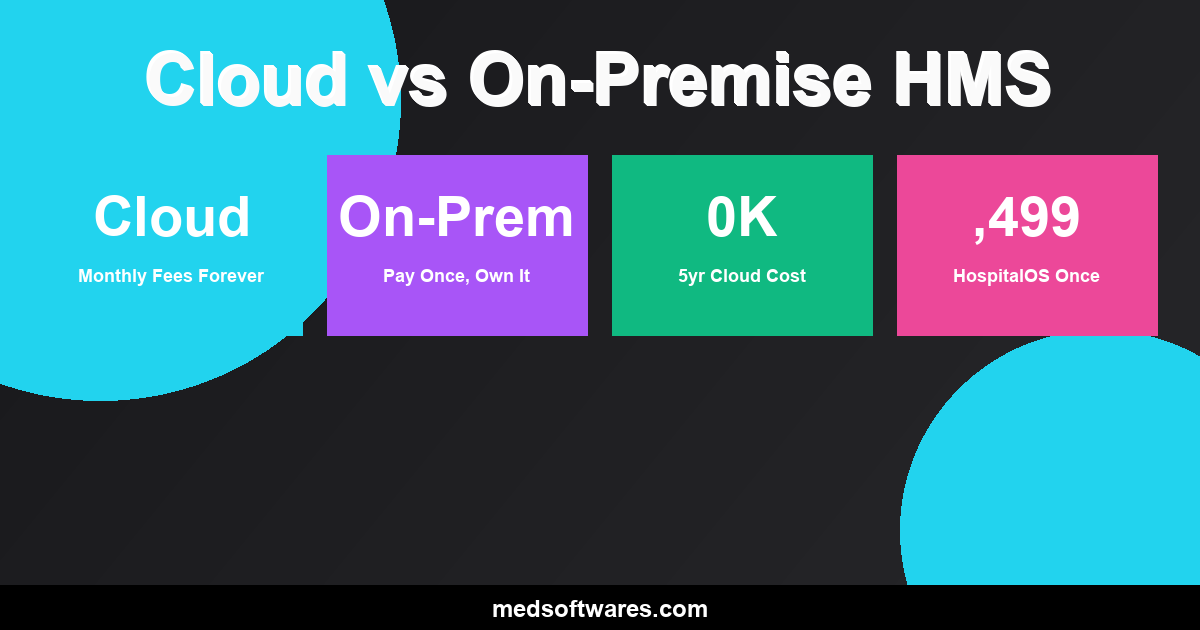
Quick Comparison
| Factor | Cloud | On-Premise | |--------|-------|------------| | Upfront Cost | Low | Higher | | Ongoing Cost | Monthly fees | Lower after purchase | | Internet Required | Yes (always) | No | | Data Location | Vendor servers | Your servers | | IT Staff Needed | Minimal | Some | | Scalability | Easy | Hardware dependent | | Customization | Limited | More flexibility | | 5-Year Cost | Higher | Lower |
Understanding the Options
Cloud-Based (SaaS)
How It Works:
- Software runs on vendor's servers
- Access via internet browser
- Vendor handles updates and maintenance
- Pay monthly or annually
Example: Most modern SaaS products
On-Premise
How It Works:
- Software installed on your computers
- Data stored on your servers (or computers)
- You control updates
- One-time purchase or license
Example: HospitalOS, traditional enterprise software
Hybrid
How It Works:
- Core system on-premise
- Some features cloud-connected
- Local data with optional sync
- Combines both models
Example: HospitalOS with cloud sync option
Cost Comparison
Cloud Costs Over Time
| Year | Monthly ($500) | Monthly ($1,000) | Monthly ($2,000) | |------|----------------|------------------|------------------| | Year 1 | $6,000 | $12,000 | $24,000 | | Year 3 | $18,000 | $36,000 | $72,000 | | Year 5 | $30,000 | $60,000 | $120,000 | | Year 10 | $60,000 | $120,000 | $240,000 |
Note: Cloud fees typically increase 3-10% annually.
On-Premise Costs (HospitalOS)
| Edition | One-Time | 5-Year Total | 10-Year Total | |---------|----------|--------------|---------------| | Clinic | $799 | $799 | $799 | | Standard | $1,499 | $1,499 | $1,499 | | Professional | $2,499 | $2,499 | $2,499 | | Enterprise | $4,999 | $4,999 | $4,999 |
Savings Example (5 Years):
- Cloud at $500/month: $30,000
- HospitalOS Standard: $1,499
- You Save: $28,501
When to Choose Cloud
Cloud is Better When:
1. You Have Reliable Internet
- Consistent high-speed connection
- Minimal outages
- Adequate bandwidth for all users
2. You Prefer OpEx Over CapEx
- Can't make large upfront investment
- Prefer predictable monthly expenses
- Budget structure favors subscriptions
3. You Have Limited IT Staff
- No dedicated IT department
- Don't want to manage servers
- Prefer vendor-handled updates
4. You Need Quick Deployment
- Need to be operational fast
- No time for infrastructure setup
- Temporary or short-term need
Cloud Challenges
Internet Dependency:
- No internet = no access
- Outages stop all work
- Slow connection = slow software
Ongoing Costs:
- Payments never end
- Prices increase over time
- Total cost exceeds purchase
Data Control:
- Your data on vendor servers
- Dependent on vendor security
- Potential access issues if vendor fails
When to Choose On-Premise
On-Premise is Better When:
1. You Have Unreliable Internet
- Frequent outages
- Slow or unstable connection
- Remote or rural location
2. You Want Lower Long-Term Cost
- Can make upfront investment
- Plan to use software 3+ years
- Want to own, not rent
3. You Need Full Data Control
- Regulatory requirements
- Security concerns
- Privacy priorities
4. You Want Offline Capability
- Must operate during outages
- Power/internet issues common
- Cannot afford downtime
On-Premise Challenges
Infrastructure Needs:
- Need local computers/server
- Require basic IT knowledge
- Handle your own backups
Update Management:
- Install updates yourself
- Plan maintenance windows
- Track new versions
HospitalOS: Best of Both Worlds
HospitalOS offers on-premise benefits with modern features:
Core On-Premise Benefits:
- One-time purchase (no monthly fees)
- Works completely offline
- Data stays on your systems
- You control everything
Modern Cloud-Like Features:
- Web-based interface (browser access)
- Mobile responsive
- Optional cloud sync between locations
- Remote access available
Why This Matters:
| Need | Cloud Only | On-Premise Only | HospitalOS | |------|-----------|-----------------|------------| | Works offline | No | Yes | Yes | | No monthly fees | No | Yes | Yes | | Browser interface | Yes | Varies | Yes | | Mobile access | Yes | Varies | Yes | | Your data control | No | Yes | Yes | | Quick setup | Yes | Varies | Yes |
Security Comparison
Cloud Security
Vendor Responsibilities:
- Server security
- Data encryption
- Access controls
- Compliance certifications
Your Responsibilities:
- User account management
- Password policies
- Access permissions
- Trust the vendor
Concerns:
- Data in third-party hands
- Shared infrastructure risks
- Vendor employee access
- Breach notification depends on vendor
On-Premise Security
Your Responsibilities:
- Server/computer security
- Network protection
- Backup procedures
- Physical security
Advantages:
- Complete control
- No third-party access
- Custom security measures
- Data never leaves your facility
HospitalOS Security:
- Role-based access control
- Audit trails
- Encrypted data storage
- Backup tools included
Performance Comparison
Cloud Performance Factors
| Factor | Impact | |--------|--------| | Internet speed | Direct impact on responsiveness | | Vendor server load | Shared resources affect performance | | Distance to data center | Latency increases with distance | | Peak usage times | Slowdowns when many users active |
On-Premise Performance Factors
| Factor | Impact | |--------|--------| | Computer specifications | Local hardware determines speed | | Local network | Internal network only | | User load | Only your facility's users | | No external dependency | Consistent performance |
Real-World Impact
Cloud in Slow Internet:
- Page loads: 5-10 seconds
- Form saves: 3-5 seconds
- Reports: 30+ seconds
- Frustration: High
On-Premise Same Environment:
- Page loads: 1-2 seconds
- Form saves: Instant
- Reports: 5-10 seconds
- Frustration: Low
Reliability Comparison
Cloud Reliability
Uptime Promises:
- Most vendors promise 99.9% uptime
- That's still 8.7 hours downtime/year
- Doesn't include your internet outages
Failure Modes:
- Vendor outage (you wait)
- Internet outage (you can't work)
- DDoS attacks (you wait)
- Vendor goes out of business (major problem)
On-Premise Reliability
Control Points:
- Your power (use UPS/generator)
- Your network (local control)
- Your hardware (can fix/replace)
- No vendor dependency
Failure Modes:
- Hardware failure (replace and restore)
- Power outage (generator)
- No internet-related failures
Decision Framework
Choose Cloud If:
| Factor | Your Situation | |--------|----------------| | Internet | Reliable, fast, always available | | Budget | Monthly expenses preferred | | IT Staff | None or minimal | | Timeline | Need to start immediately | | Term | Short-term or uncertain |
Choose On-Premise If:
| Factor | Your Situation | |--------|----------------| | Internet | Unreliable or slow | | Budget | Can invest upfront | | Data | Must control data location | | Term | Long-term use (3+ years) | | Offline | Need to work without internet |
Choose HospitalOS If:
| Factor | Your Situation | |--------|----------------| | Cost | Want lowest 5-year cost | | Reliability | Must work regardless of internet | | Control | Want your data on your systems | | Flexibility | Want on-premise with modern features |
Migration Considerations
Moving Cloud to On-Premise
Why Hospitals Switch:
- Escalating monthly costs
- Internet reliability issues
- Data control requirements
- Vendor concerns
Process:
- Export data from cloud vendor
- Install on-premise system (HospitalOS)
- Import data
- Train staff
- Cancel cloud subscription
Moving On-Premise to Cloud
Why Hospitals Switch:
- IT staff constraints
- Disaster recovery needs
- Multi-location access
Considerations:
- Ongoing cost commitment
- Data migration complexity
- Internet dependency introduced
Frequently Asked Questions
Is cloud more secure than on-premise?
Not necessarily. Cloud vendors have security teams, but you trust them with your data. On-premise gives you full control. Both can be secure when properly managed.
What happens if my cloud vendor goes out of business?
Your access could be disrupted or terminated. Data export may be difficult. This is a real risk—several healthcare SaaS vendors have shut down.
Can on-premise software access the internet?
Yes, when needed. HospitalOS can sync data between locations and support remote access while still working fully offline.
Is on-premise harder to set up?
Not with modern solutions. HospitalOS installs in hours, not weeks. It's designed for facilities without large IT teams.
What about updates with on-premise?
HospitalOS provides free updates. You download and install at your convenience—no forced updates disrupting your workflow.
Conclusion
Cloud suits: Facilities with reliable internet, monthly budget preference, and minimal IT staff.
On-Premise suits: Facilities needing offline capability, long-term cost savings, and data control.
HospitalOS delivers: On-premise benefits with modern browser interface, offline capability, and one-time pricing.
For most hospitals—especially in developing markets or areas with unreliable internet—on-premise with HospitalOS provides better value, reliability, and control.


![Healthcare Cybersecurity for Hospitals: Complete Protection Guide [2026]](/_next/image?url=%2Finfographics%2Fhealthcare-cybersecurity-stats-2026.png&w=2048&q=75)